
Blog

All Used Dealer Nissan Rogue Nissan Sentra Nissan Frontier Nissan Kicks Nissan Dealer Nissan Service Nissan Murano Nissan Parts Nissan Pathfinder Nissan Altima Rogue Nissan Models Pathfinder Armada Frontier Nissan Ariya Nissan Armada Our Dealership Used Used Car Trade-in
Nissan Wiper Blades, Floor Mats, and Filters for Ocean City, NJ Coastal Driving

Nissan Wiper Blades, Floor Mats, and Filters for Ocean City, NJ Coastal Driving

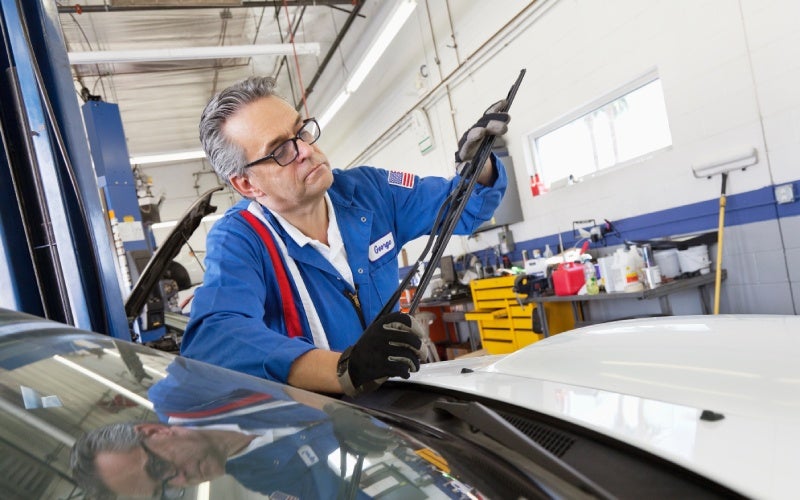
Matt Blatt Nissan - Nissan Wiper Blades, Floor Mats, and Filters for Ocean City, NJ Coastal Driving Why Small Maintenance Parts Matter Near the Shore Ocean City drivers often think about major maintenance items first, such as tires, brakes, and batteries, but smaller parts can make a noticeable difference in daily comfort, visibility, and vehicle protection. Wiper blades, cabin microfilters, engine air filters, and all-weather floor mats are practical parts for anyone who drives between the island, the causeways, the mainland, and nearby shopping or work destinations. Sand, salt air, pollen, road debris, and frequent short trips can affect how clean your cabin feels, how clearly you see through the windshield, and how well protected your interior stays after beach days, school runs, and weekend errands. The value of these parts comes from fit and function. A wiper blade needs to match the windshield curve and attachment design. A cabin microfilter needs to fit properly inside the housing so air passes through the filter instead of around it. Floor mats should align with the footwell and retention points, helping reduce sliding while protecting carpet from moisture, sand, and dirt. A low-quality or poorly fitted part can create frustration, while a correct replacement helps your vehicle feel better cared for every day. Best Parts to Check for Ocean City Area Driving For drivers who search “Nissan wipers near Ocean City NJ” or “cabin air filter replacement near me,” the immediate need is usually visibility, cleaner airflow, or simple vehicle upkeep. These parts are not complicated, but choosing the correct item for your specific Nissan model is important. A Sentra, Rogue, Kicks, Frontier, Pathfinder, Murano, Altima, and Armada can each require different sizes, shapes, clips, or filter designs. Before ordering, it helps to confirm your model year, trim, and sometimes production details. Windshield wiper blades: Replace blades that streak, chatter, skip, split, or leave cloudy patches during use. Cabin microfilter: Check this filter if airflow feels weak, the cabin smells stale, or dust builds up quickly inside the vehicle. Engine air filter: A clean filter supports proper airflow into the engine and can help maintain normal performance. All-weather floor mats: Model-specific mats help protect carpet from sand, water, mud, and everyday debris. Touch-up and exterior accessories: Small accessories can help maintain appearance and convenience for frequent coastal driving. Matt Blatt Nissan helps drivers choose genuine Nissan parts and accessories from our parts department at 6021 E Black Horse Pike in Egg Harbor Township, NJ. Our knowledgeable staff can help confirm part compatibility before you buy, which is especially useful if you are replacing items yourself or planning to combine parts replacement with a service visit. Genuine Nissan parts are designed for seamless integration and optimal performance, which helps remove uncertainty when choosing maintenance items. How to Know When Wipers and Filters Are Due Wiper blades usually tell you when service is needed. If you see streaking, hear squeaking, notice rubber cracking, or need several passes to clear the glass, replacement is a smart step. Around shore communities, windshield film can build from salt air, mist, pollen, and road grime. A fresh set of blades can improve visibility during rain and reduce glare when the windshield is dirty. Good visibility is important on narrow residential streets, bridge approaches, parking areas, and busy routes leading on and off the island. Cabin microfilters and engine air filters are less visible, so symptoms matter. A clogged cabin filter may reduce vent strength or allow unpleasant odors to linger. An engine air filter may need attention if it is dirty, clogged, or past its recommended interval. During a service visit, a technician can inspect these items and explain whether replacement is recommended. Nissan Express Service includes common maintenance items such as air filter replacement, in-cabin microfilter replacement, new wipers, oil and filter changes, tire rotation and balance, and a complimentary multi-point inspection. Why Model-Specific Accessories Are Worth Considering Accessories are often viewed as cosmetic, but many solve real everyday problems. All-weather mats, cargo area protectors, splash guards, and storage accessories can help preserve your Nissan if your routine includes beach gear, sports equipment, groceries, work supplies, or pets. For Ocean City drivers, sand and moisture can quickly work into carpet and cargo areas. A well-fitted mat or liner is easier to remove, clean, and reinstall than loose universal protection that shifts underfoot or leaves gaps near the edges. Model-specific accessories also help maintain a clean, integrated look. The right part should fit the shape of the vehicle rather than feeling like an afterthought. If you drive a Rogue or Pathfinder for family travel, a cargo protector may be a practical upgrade. If you drive a Sentra or Altima for commuting, floor mats and wipers may be the priority. If you drive a Frontier for projects, bed and interior accessories may support everyday utility. Our parts staff can help narrow choices based on how you use your vehicle. Frequently Asked Questions: Can I replace Nissan wiper blades myself? Many drivers can replace wiper blades at home, but the correct size and connector style are essential. If you are unsure, our parts team can help identify the right blades for your vehicle. How often should cabin filters be checked? Cabin filters should be checked according to your maintenance schedule or sooner if airflow weakens, odors appear, or dust collects inside the cabin. Local driving conditions can affect how quickly a filter becomes dirty. Are genuine Nissan floor mats different from universal mats? Genuine Nissan mats are designed for specific models, helping improve fit, coverage, and retention compared with many universal options. Get Help Choosing the Right Nissan Parts If you live in Ocean City or regularly drive between the shore and the mainland, practical parts like wipers, filters, and floor mats can make ownership easier. Contact our Service and Parts team at 609-383-6100 or visit during parts hours for help finding the correct maintenance parts and accessories for your Nissan. You can also schedule service online if you would like our certified technicians to inspect, replace, or install these items while checking other key vehicle systems. Request more information
2026 Nissan Frontier® or Toyota Tacoma: Which Is the Smarter Choice for Camper Towing Around Mays Landing, NJ?

2026 Nissan Frontier® or Toyota Tacoma: Which Is the Smarter Choice for Camper Towing Around Mays Landing, NJ?

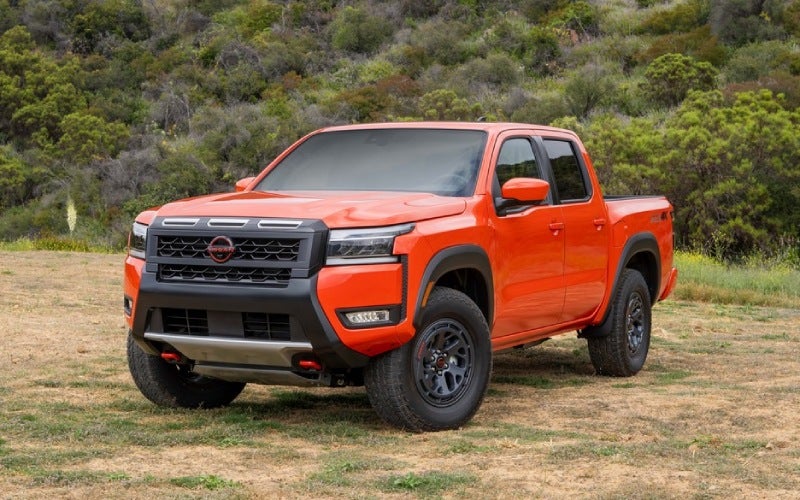
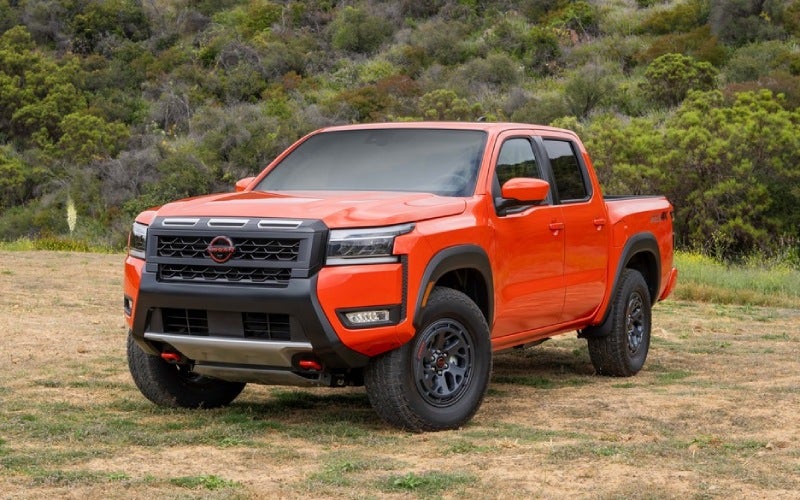
Matt Blatt Nissan - 2026 Nissan Frontier® or Toyota Tacoma: Which Is the Smarter Choice for Camper Towing Around Mays Landing, NJ? Among shoppers comparing midsize pickups, one of the most common questions we hear is simple: which truck tows a camper more confidently around Mays Landing, NJ—the 2026 Nissan Frontier® or the 2026 Toyota Tacoma? Below, we break down real-world towing considerations like power delivery, hitching help, bed utility, and stability, so you can choose the right setup for your weekend basecamp or longer coastal getaways. Towing capacity and what it means for your camper On paper, the Frontier’s up to 7,150-lb tow rating (when properly equipped) gives it breathing room for many single-axle campers, pop-ups, and lightweight toy haulers. The Tacoma’s tow ratings typically land below that figure, which can still be workable if you choose a lighter trailer with a conservative cargo plan. The more important point for Mays Landing drivers is margin: the Frontier’s higher ceiling helps offset packed coolers, full water tanks, and extra gear that always seem to hitch a ride at the last minute. Equally important is how that capacity feels at the hitch. Frontier’s 3.8-liter V6 makes a consistent 310 horsepower and pairs to a refined 9-speed automatic that seems tailor-made for long, flat stretches near Lake Lenape or rolling highway runs toward the Shore. Gear spacing helps the V6 hold revs in the sweet spot, delivering steady pull without constant hunting between gears. Power delivery: smooth V6 vs. turbo torque Frontier’s naturally aspirated V6 is the set-it-and-forget-it choice: linear throttle response, predictable power, and fewer variables when the trailer’s loaded. Tacoma counters with a turbocharged 2.4-liter gas engine and an available i-FORCE MAX hybrid setup that brings strong torque. That’s useful for quick launches on short merge ramps, but many tow veterans still prefer the Frontier’s consistent V6 feel when hauling in heat or along longer grades. Both trucks will move a properly matched camper; the deciding factor is how you want the power to feel with 2,000 to 5,000 pounds in tow. Transmission behavior matters too. Frontier’s 9-speed tends to shift decisively and keep the V6 settled, especially helpful when you’re cruising Route 40 with a crosswind. Tacoma’s 8-speed is competent and benefits from the turbo’s torque; the hybrid adds punch but also complexity. For drivers who tow several weekends a season, Frontier’s straightforward pairing often wins on ease-of-use. Hitching, visibility, and stability tools that reduce stress Frontier’s available Intelligent Around View® Monitor with guidelines is a quiet hero at the campsite—it lets you align the ball and coupler solo without guesswork. Off-Road Mode is also great for slow-speed maneuvering through gravel loops. Tacoma’s available Multi-Terrain Monitor is similarly useful for seeing around the truck, though its primary focus is off-road visibility; both systems help when threading through a packed campground near Estell Manor. On the move, the Frontier’s fully boxed ladder frame and stout rear leaf-spring setup contribute to a planted feel with tongue weight on the hitch. Add Active Brake Limited Slip, available Hill Descent Control, and standard Hill Start Assist, and you get a stable, confidence-inspiring package when pulling out of angled sites or rolling through stop-and-go Shore traffic. Tacoma offers a well-tuned chassis and excellent off-road aids on TRD trims; for towing specifically, Frontier’s blend of frame strength and calm suspension tuning is a difference you notice as the miles add up. Bed utility and campsite convenience Packing is easier when the bed helps you stay organized. Frontier’s available Utili-track® Channel System with adjustable cleats lets you cinch down generators, totes, and a folded pop-up tent exactly where you want them. An available spray-on bedliner, 120-volt outlet, and bed lighting extend the truck’s usefulness once you arrive. Tacoma provides a helpful deck-rail system with tie-downs and creative storage on certain trims, but Frontier’s cargo ecosystem is a standout for mixed-use towing, from Friday departure to Sunday pack-out. Inside, both trucks offer modern connectivity—wireless Apple CarPlay® and Android Auto™—so you can share navigation with your co-pilot or review campground check-in details on the way. Frontier’s available 12.3-inch NissanConnect® display combines crisp graphics with practical knobs, while the available Fender® premium audio system makes the drive feel shorter. Safety matters more with a trailer. Frontier’s standard Safety Shield® 360 includes Rear Automatic Braking, a helpful backstop when maneuvering near posts or picnic tables. Intelligent Forward Collision Warning can see the vehicle ahead of the one in front of you—useful when traffic around Atlantic County suddenly compresses. Tacoma’s Toyota Safety Sense™ 3.0 is robust as well; the key is to learn your truck’s systems and use them proactively when towing. So which midsize truck should you pick for camper duty around Mays Landing? If your trailer and gear push toward the upper middle of the class—or you simply want margin—the Frontier’s higher tow ceiling, smooth V6, and towing-friendly visibility tools make it a natural fit. If your camper is lighter and you prioritize off-road specialization or hybrid torque, a properly equipped Tacoma can also serve well. For most families who split time between local campgrounds and Shore weekends, Frontier’s combination of capability and calm makes towing feel less like work and more like the start of a getaway. Tow rating considerations: Frontier’s up to 7,150-lb rating provides extra margin for water, cargo, and those “just-in-case” items; Tacoma tow ratings usually sit lower, so careful weight planning is essential. Hitching and camera aids: Frontier’s available Intelligent Around View® Monitor with guidelines simplifies one-person hitching; Tacoma’s Multi-Terrain Monitor is also helpful, with a primary off-road focus. Powertrain feel with weight: Frontier’s V6 and 9-speed bring smooth, linear pull; Tacoma’s turbo and available hybrid emphasize torque for quick launches but add complexity some tow owners may not need. Frequently Asked Questions: Can either truck safely tow a camper to Shore campgrounds if it’s under 5,000 pounds? Yes. With proper equipment, brake controller setup, and tongue weight management, both Frontier and Tacoma can handle many campers in that range. Frontier’s higher maximum rating simply gives you more headroom as cargo adds up. What features help most when towing solo? A camera system with hitch guidelines, integrated trailer-sway mitigation, and strong low-speed control features help a lot. Frontier’s available Intelligent Around View® Monitor, standard Hill Start Assist, and available Hill Descent Control are especially reassuring. Does the Frontier’s V6 need premium fuel when towing? No. The 3.8-liter V6 is designed to run on regular unleaded. Always follow the recommendations in your owner’s manual for the best performance and longevity. When you’re ready to compare configurations side by side, our team at Matt Blatt Nissan—serving Mays Landing, Atlantic City, and Hammonton—can walk you through bed lengths, axle setups, and the towing accessories that turn a good match into a great one. Request more 2026 Nissan Frontier information

2026 Nissan Rogue vs 2026 Honda CR-V - Which SUV has the smarter driver-assist tech for Mays Landing, NJ?

2026 Nissan Rogue vs 2026 Honda CR-V - Which SUV has the smarter driver-assist tech for Mays Landing, NJ?

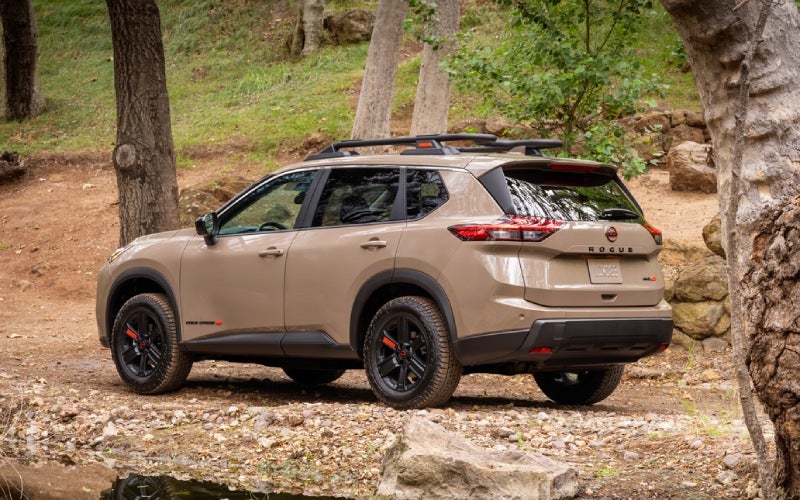
Matt Blatt Nissan - 2026 Nissan Rogue vs 2026 Honda CR-V - Which SUV has the smarter driver-assist tech for Mays Landing, NJ? When shoppers near Mays Landing, NJ start comparing the popular compact SUVs, one question rises to the top: Which model brings smarter, more helpful driver-assist tech that actually makes daily driving easier? Let’s walk through the systems and features that shape real-world confidence in the 2026 Nissan Rogue® and the 2026 Honda CR-V, with clear takeaways for local roads, parking lots, and Garden State Parkway stretches. Driver-assist suites: What comes standard and what can you add? Every Rogue® includes Nissan Safety Shield® 360: Automatic Emergency Braking with Pedestrian Detection, Rear Automatic Braking, Blind Spot Warning, Rear Cross Traffic Alert, Lane Departure Warning, and High Beam Assist. That rear autobraking is especially helpful when backing out of angled spots near shopping centers where sight lines are tight. CR-V models all include Honda Sensing®, which brings Collision Mitigation Braking System™, Road Departure Mitigation, Lane Keeping Assist System, and Adaptive Cruise Control with Low-Speed Follow. Both lineups deliver the foundational tech buyers expect, and both are thoughtfully tuned for smooth operation in traffic-rich areas. The differences become more noticeable as you explore available features. Rogue® offers ProPILOT Assist for hands-on highway support with steering assist and Intelligent Cruise Control. On the Platinum with the Tech Package, ProPILOT Assist 2.1 adds lane-change assistance and limited hands-off capability in certain conditions, which reduces fatigue on longer Parkway stints and during rolling congestion. CR-V’s adaptive cruise and lane-keeping assistance are confidence-inspiring, but Honda does not offer a system comparable to ProPILOT Assist 2.1 in the CR-V lineup. Visibility where it matters: 360 views, curb-level clarity, and more Parking in busy shopping corridors and downtown blocks can be where compact SUVs either help or hinder. Rogue® offers a 3D Enhanced Intelligent Around View® Monitor with Invisible Hood View. Not only can you rotate a 360-degree perspective around the vehicle on the center display, but Invisible Hood View can show potential obstacles hidden near the front wheels—think parking curbs, low planters, and tight ramps. It’s the kind of feature that makes precise placement easy on the first try, even in crowded weekend traffic. CR-V drivers get a multi-angle rearview camera and, on higher trims, parking sensors that help with low-speed maneuvering. Those aids are useful and well-executed, but there’s no 360-degree camera system on the CR-V. If you parallel park often or navigate tight garages, the Nissan’s camera suite can be the difference between inching forward-and-back and confidently settling in with one clean move. Heads-up information and lane guidance With the Nissan, you can equip an available Head-Up Display to project speed, navigation prompts, and driver-assist indicators onto the lower windshield. That helps keep your eyes up and attention forward when lane merges and exits arrive quickly. The Rogue® also offers Intelligent Lane Intervention and Intelligent Blind Spot Intervention® that can provide gentle steering assistance should the system detect an unintended drift or a potential blind-spot conflict. CR-V offers accurate lane-keeping assistance and blind-spot information monitoring, but it does not add the head-up display or the intervention-style assists in this specific segment. All-weather confidence and traction tech Around South Jersey, conditions can vary mile-to-mile—dry pavement, then a sandy patch after a storm, then wet leaves in shaded sections. The Rogue® answers with available Intelligent All-Wheel Drive and five drive modes on AWD models: Auto, Eco, Sport, Snow, and Off-Road. That Off-Road Mode helps dial in throttle and traction behavior for loose surfaces, which pays off on gravel access lanes or unpaved lots near the Shore. CR-V’s available Real Time AWD™ is responsive and effective for changing traction, and certain trims offer multiple drive modes, but it does not add a dedicated Off-Road Mode in this model line. Cabin tech that supports the driver Rogue® offers a vivid 12.3-inch touch-screen, a 12.3-inch digital dashboard, and available Google built-in so you can use Google Maps, Google Assistant, and Google Play right from the SUV. Pair that with the available Bose® Premium Audio System and an available Head-Up Display, and the driver’s view, sound, and info presentation feel premium. CR-V counters with standard wireless Apple CarPlay® and Android Auto™ across all trims, and the Sport Touring Hybrid adds Google built-in and Bose® audio. Both vehicles integrate smartphones well; the Nissan’s optional head-up layer and 3D camera tools extend the driver-assist story further. Where the differences show up on your commute On weekday mornings, the Rogue® can reduce mental load when you’re merging near Parkway interchanges or easing into packed school lanes. ProPILOT Assist helps with steady, centered tracking, and the available 3D camera views remove guesswork when squeezing between cars in a tight lot. On weekend errands, the motion-activated liftgate and Zero Gravity seats keep things easy and comfortable while traffic ebbs and flows along busy retail corridors. CR-V drivers will appreciate its smooth ride and easygoing manners, and the available hybrid’s swift response off the line is pleasant in stop-and-go stretches. If your priorities include the broadest set of visibility assists and highway support, the Nissan takes the edge. Frequently Asked Questions: Does the CR-V have a 360-degree camera like the Rogue®? No. The CR-V offers a multi-angle rearview camera and available parking sensors, but it does not offer a 360-degree camera system. The Rogue® offers a 3D Enhanced Intelligent Around View® Monitor with Invisible Hood View on select trims. Is there a hands-free highway assist feature on both SUVs? Both offer advanced cruise and lane-keeping support, but only the Rogue® (Platinum with Tech Package) offers ProPILOT Assist 2.1, which can add lane-change assistance and limited hands-off capability in certain conditions. Do both SUVs include automatic emergency braking? Yes. Both lineups include comprehensive automatic emergency braking as part of their standard safety suites. The Rogue® also includes Rear Automatic Braking across the lineup for added confidence when backing. For shoppers who value intuitive, confidence-building tech over check-the-box features, the Nissan’s driver-assist strategy is notably comprehensive. The camera views alone can save time and stress in busy parking lots, and the step-up to ProPILOT Assist 2.1 brings a highway composure that rivals luxury models. CR-V remains a strong pick for comfort and refinement—especially in its hybrid form—but its feature set stops short of the Nissan’s most advanced aids in this class. If you’re ready to see the differences in person, schedule a test drive and focus on the features you’ll use every day—parking, merging, and navigating tight retail centers. One drive makes the pros and cons clear. Matt Blatt Nissan is serving Mays Landing, Atlantic City, and Hammonton with knowledgeable guidance and a streamlined process to help you find the right fit. Request more 2026 Nissan Rogue information

Which SUV - 2026 Nissan Kicks or 2026 Subaru Crosstrek - has smarter tech for tight parking and drives around Atlantic City, NJ?

Which SUV - 2026 Nissan Kicks or 2026 Subaru Crosstrek - has smarter tech for tight parking and drives around Atlantic City, NJ?

Matt Blatt Nissan - Which SUV - 2026 Nissan Kicks or 2026 Subaru Crosstrek - has smarter tech for tight parking and drives around Atlantic City, NJ? Shopping small SUVs is often less about spec sheets and more about what actually lowers your stress Monday through Friday. If you’re weighing 2026 Nissan Kicks® against the 2026 Subaru Crosstrek, two real-world questions float to the top fast: which one helps me park without anxiety, and which one keeps me confidently centered and informed on Garden State Parkway drives around Atlantic City? This blog unpacks those two needs — visibility in tight spaces and driver-assist support in busy traffic — so you can make a confident call. Both SUVs are smartly equipped, but the Kicks leans harder into daily convenience technology. Its available Intelligent Around View® Monitor provides a stitched 360-degree perspective of your surroundings, displaying multiple camera angles at once to help you judge curbs, lines, and cross-traffic in crowded lots or street-side spots. That system is paired with standard Rear Sonar and, on SR, available front and rear sonar for low-speed peace of mind. The Crosstrek offers helpful reverse aids like available Reverse Automatic Braking and rear cross-traffic alerts, but it doesn’t offer a 360-degree camera system, so parallel parking still depends more on mirrors and guesswork. Driver-assist confidence on the Parkway On longer stints, both SUVs can reduce fatigue with hands-on lane-centering assist. The Kicks offers ProPILOT Assist 1.0, which integrates Intelligent Cruise Control with steering support in clearly marked lanes and stop-and-go capability to take the edge off slowdowns near toll plazas and summer traffic surges. The Crosstrek’s EyeSight® Driver Assist Technology also brings Lane Centering and Adaptive Cruise Control. Your takeaway: these two both track well on busy highway stretches. Where the Kicks pulls ahead is how its available big-screen layout — including available dual 12.3-inch displays — makes route changes, traffic updates, and camera views feel more intuitive, so you spend less time tapping and more time glancing and going. Connectivity is a wash on paper — both SUVs support wireless Apple CarPlay® — but the Kicks layers in thoughtful touches that keep commutes calm. NissanConnect® integrates features like Wi-Fi Hotspot, Remote Engine Start with Intelligent Climate Control, and Remote Vehicle Status through the MyNISSAN app, so you can precondition the cabin before you step out the door or double-check your lock status from the boardwalk. Crosstrek drivers get similar functions through MySubaru Connected Services, but the Kicks’ available dual-screen presentation and 360-degree camera give it a daily ease-of-use edge in the places most people actually drive and park. Parking ease when space is tight Atlantic City garages, angled bays along Pacific Avenue, and undersized parallel spots in busy neighborhoods reward vehicles with clear sightlines and succinct dimensions. The Kicks’ compact footprint and available Intelligent Around View® Monitor make it easier to place the vehicle precisely — you see curbs, adjacent bumpers, and pedestrians in a glance. Add available front and rear sonar on SR, and low-speed nudges turn into deliberate, confident maneuvers. Crosstrek owners will appreciate good outward visibility and helpful rear aids, but without a 360-degree camera or available front sonar, tight-space guidance remains more old-school. Ride comfort and composure matter too. The Kicks pairs an independent strut front suspension with precise electric power steering and a tidy turning circle for nimble responses that feel right at home downtown. Available Intelligent All-Wheel Drive and selectable drive modes help handle slick rain on the Parkway or sandy shoulders near the Shore. Meanwhile, the Crosstrek’s standard Symmetrical All-Wheel Drive and available X-MODE bring excellent grip for rougher surfaces. If your life is mostly city-and-suburb with occasional Shore runs, the Kicks’ blend of agility and visual aids is the more consistently useful combo. Audio and screen clarity when roads get busy When traffic grows dense, screen clarity and sound quality help you stay calm and informed. The Kicks offers an available Bose Personal® Plus Audio System with up to 10 speakers — including UltraNearfield headrest speakers that deliver clear voice guidance for navigation and crisp phone calls. Its available dual 12.3-inch display layout keeps maps, camera views, and audio info side by side, reducing menu-diving. Crosstrek’s available Harman Kardon® system is strong, and its 11.6-inch portrait display is straightforward. But once you’ve used the Kicks’ 360-degree camera and dual-display setup in a tight garage, it’s hard to give up that confidence and convenience. How to test-drive for your real life We suggest a simple, structured approach to your comparison test drive that mirrors how you actually drive around the Shore. Bring your routine: Map a loop that includes a parking garage, a tight parallel space, a few stoplights, and a short Parkway hop. Check camera clarity: In the Kicks, engage the Intelligent Around View® Monitor and note curb and bumper visibility. In the Crosstrek, compare with mirror-only parking and rear aids. Try lane-centering: Evaluate hands-on lane assist steering feel and cruise control responsiveness in both vehicles. Evaluate screens: Test wireless Apple CarPlay®, switching between navigation and audio. Note how quickly you can access camera views mid-maneuver. Frequently Asked Questions: Does the 2026 Nissan Kicks have a 360-degree camera? Yes. The available Intelligent Around View® Monitor provides a composite view from multiple cameras, letting you see a 360-degree perspective and selectable close-up views for curbs and corners. Does the 2026 Subaru Crosstrek offer a 360-degree camera? No. Crosstrek includes helpful reverse aids and available driver-assist features, but it does not offer a 360-degree camera system. Which model is better for tight city parking near Atlantic City? The Kicks. Its available 360-degree camera, available front and rear sonar (SR), and compact footprint make parallel spots and garage ramps easier. Crosstrek parks well too, but relies more on mirrors and rear sensors. If tech that actively simplifies parking and commuting sits at the top of your list, the Kicks is a standout. You’ll still get the all-weather confidence you need thanks to available Intelligent All-Wheel Drive and selectable modes, but what you’ll notice every day is how calmly you glide into spaces and navigate through congestion. That’s why so many shoppers ask to try the camera and display systems first — once you do, your decision comes into focus. Ready to see the difference for yourself? Visit our showroom at Matt Blatt Nissan — proudly serving Mays Landing, Atlantic City, and Hammonton — and put both SUVs through the same real-world loop. Bring your routine, your favorite apps, and a couple of tricky parking maneuvers. We’ll line up the right trims so you can compare the exact features that matter to you. Request more 2026 Nissan Kicks information

Which compact sedan has smarter driver-assist tech for commutes around Atlantic City, NJ — the 2026 Nissan Sentra or the Toyota Corolla?

Which compact sedan has smarter driver-assist tech for commutes around Atlantic City, NJ — the 2026 Nissan Sentra or the Toyota Corolla?

Matt Blatt Nissan - Which compact sedan has smarter driver-assist tech for commutes around Atlantic City, NJ — the 2026 Nissan Sentra or the Toyota Corolla? Drivers who navigate the Garden State Parkway and the Atlantic City Expressway every week often ask a focused question: which compact sedan delivers smarter, less stressful highway assistance — the 2026 Nissan Sentra or the 2026 Toyota Corolla? Both offer excellent active safety suites, yet the details matter when traffic compresses and lane discipline becomes essential. Below, we unpack how each brand approaches driver-assist technology, cabin tech integration, and everyday usability, then offer guidance tailored to coastal New Jersey driving. Highway assistance that actually lightens your load At the center of Nissan’s approach is ProPILOT Assist, available on Sentra. It pairs steering assistance for lane centering with adaptive cruise control to help maintain a set distance from the vehicle ahead, smoothing out “accordion” traffic. The result is a calmer drive on predictable highway stretches — an advantage you’ll notice on evening returns from the Marina District or weekend trips that funnel into shore traffic. Toyota Safety Sense™ 3.0 on Corolla includes Lane Tracing Assist and Full-Speed Range Dynamic Radar Cruise Control, which offer similar capabilities. The differences often come down to how naturally the system sets in, how consistently it maintains centering on sweeping turns, and how intuitively it resumes after stops. Sentra’s calibration feels composed and confidence-inspiring, particularly on long, lightly curving segments common to our local routes. Cabin tech that supports, not distracts Technology should simplify the drive, not compete for attention. Sentra’s available 12.3-inch center display anchors an intuitive interface that keeps maps, media, and settings in clear view. Wireless Apple CarPlay® and Android Auto™ make it easy to launch navigation or pick up an audiobook without reaching for a cable, while the available Bose Premium Audio System upgrades daily listening with richer detail. Corolla counters with an available 12.3-inch digital gauge cluster and a 10.5-inch center touch-screen, plus an available JBL® audio upgrade. Both cars connect your phone wirelessly. However, having a larger center display in the Sentra can make a practical difference when you’re glancing at lane guidance or watching for your next Parkway exit under busy conditions. Connected services for everyday convenience NissanConnect® Services with the MyNISSAN app layers on practical benefits, including Remote Engine Start with Intelligent Climate Control and Remote Vehicle Status checks. Starting the car and setting the cabin to a comfortable temperature before walking out the door might sound small, but it quickly becomes a habit you count on during hectic mornings. Toyota’s Remote Connect provides app-based access and status too. The nuance is how seamlessly you’ll use these tools day to day. Sentra’s approach feels especially cohesive, putting climate preconditioning and status checks one tap away. Key takeaways for Atlantic City area drivers Highway assist confidence: ProPILOT Assist on Sentra is polished for steady lane centering and distance keeping, ideal for the Atlantic City Expressway and Parkway segments. Screen clarity and ease: Sentra’s available 12.3-inch center display provides more real estate for maps and media than Corolla’s 10.5-inch unit. Everyday convenience: MyNISSAN app features like Remote Engine Start with Intelligent Climate Control simplify busy mornings and after-work errands. For shoppers who value driver-assist tech that genuinely reduces stress, the Sentra’s blend of ProPILOT Assist, a large center display, and cohesive app support stands out. Corolla’s suite is capable and familiar, but Sentra’s execution feels purpose-built for the rhythm of Atlantic City commutes and weekend shore traffic. Frequently Asked Questions: Does ProPILOT Assist work in stop-and-go traffic? Yes. ProPILOT Assist can help maintain distance at low speeds and assist with lane centering when lane lines are visible, supporting you through start-and-stop congestion common near toll plazas and interchanges. Can I use my phone wirelessly in both cars? Yes. Both Sentra and Corolla support Wireless Apple CarPlay® and Android Auto™, so you can keep your phone in your pocket or bag while staying connected. Is there a difference in center screen size? Yes. Sentra offers an available 12.3-inch center touch-screen, while Corolla’s center display tops out at 10.5 inches. That extra space can make maps and menus easier to read at a glance. Do both cars offer app-based features? Yes. Sentra uses NissanConnect® Services and the MyNISSAN app (with features like Remote Engine Start with Intelligent Climate Control and Remote Vehicle Status), while Corolla offers Toyota Connected Services with Remote Connect and status tools. How does audio quality compare? Sentra offers an available Bose Premium Audio System that delivers immersive sound. Corolla offers an available JBL® system with its own signature tuning. Both are solid upgrades from base audio. Ready to put these systems to the test on the roads you know best? Our team, serving Mays Landing, Atlantic City, and Hammonton, can set up a back-to-back drive that highlights the nuances of highway assist, screen usability, and connected features you’ll use daily. We’ll also walk you through Apple CarPlay® and Android Auto™ tips so you can get more from your apps in fewer taps. One last note: driver-assist features are aids, not replacements for attentive driving. We’ll show you exactly how to activate, adjust, and disable each function so you feel fully in control. Then you can decide which sedan aligns with your routines and driving style. When you’re ready, stop by Matt Blatt Nissan for a pressure-free demo and a route that mirrors your real commute. Request more 2026 Nissan Sentra information

ProPILOT Assist Confidence - 2026 Nissan Sentra Tips for Smoother Parkway Drives around Galloway, NJ

ProPILOT Assist Confidence - 2026 Nissan Sentra Tips for Smoother Parkway Drives around Galloway, NJ

Matt Blatt Nissan - ProPILOT Assist Confidence - 2026 Nissan Sentra Tips for Smoother Parkway Drives around Galloway, NJ ProPILOT Assist in the 2026 Nissan Sentra® is designed to take the edge off highway driving, especially on familiar stretches like the Garden State Parkway and the Atlantic City Expressway near Galloway, NJ. Instead of white-knuckling through traffic surges and surprise slowdowns, you can let the system help manage following distance and nudge the steering to keep you centered on clearly marked lanes. You remain in charge, of course, but the Sentra’s assistive smarts reduce the micro-corrections that contribute to fatigue—so you arrive fresher and better focused. What ProPILOT Assist Does—and What It Doesn’t ProPILOT Assist blends two familiar capabilities: Intelligent Cruise Control for speed and distance, and steering assist to help you stay centered when the road’s markings are clear. The result is smoother pacing in stop-and-go traffic and steadier tracking on longer highway stints. It is driver-assistance, not self-driving, which means you need hands on the wheel and eyes on the road. Still, by managing repetitive inputs, the system helps keep your drive more consistent—useful on weekday commutes along tree-lined sections where shadows can make lane edges visually tiresome or during those rolling speed shifts common on busy Parkway segments. How to Use It Confidently on Local Roads Start on a familiar highway with good lane markings. Engage Intelligent Cruise Control using the steering wheel controls, set your preferred speed, and then activate steering assist as prompted by the cluster. You’ll see graphics that confirm the system is monitoring lane lines and a lead vehicle when present. Use lane changes, merges, and exits as you normally would—ProPILOT Assist will pause steering support if lines fade or you signal a lane change, then regain guidance as conditions allow. If you travel through Galloway toward shore points, practice during off-peak hours first, so you can feel how the car responds to gentle curves, longer straights, and the subtle hills you encounter near interchanges. Dialing in Your Settings Your Sentra’s digital displays let you adjust following distance to suit traffic flow, while the available 12.3-inch dual-display layout keeps key information visible without distraction. Prefer a wider gap in faster-moving traffic? Select a longer following distance. Need to maintain steady progress during denser periods? Choose a shorter gap while staying alert to lane changes around you. If your Sentra includes the available Bose Premium Audio System, consider lowering music volume when you first adopt ProPILOT Assist—this makes it easier to hear gentle chimes and notice cluster cues as you build familiarity with the system’s feedback. Why It Fits Galloway-Area Driving Highway patterns around Galloway can range from light midday traffic to evening slowdowns as drivers converge from local routes. ProPILOT Assist is particularly helpful for that transition from open road to tightening flow, offering a calm buffer as speed ebbs and rises. If you split your time among work, school pickups, and quick trips to neighboring communities, reducing the mental overhead of highway segments can make your whole day feel smoother. The Sentra’s calm ride tuning and Xtronic CVT® pair nicely with the system’s steady pacing—so the cabin stays composed even when outside conditions are not. Best Practices for Smooth, Safe Use Think of ProPILOT Assist as a partner—one that does its best work when lane lines are clear, your windshield is clean, and your focus stays forward. Keep your hands on the wheel and maintain readiness to steer at any time. Check cluster prompts regularly, and if you encounter construction zones or fading paint, assume you’ll need to take full manual control. This mindset keeps your confidence high and your expectations realistic, which is exactly how to get the most from the system on our regional roads. Trims and Tech Pairings Worth Considering ProPILOT Assist is available on select 2026 Sentra trims. Pairing it with NissanConnect® Services means you also benefit from helpful conveniences between drives: the MyNISSAN app can check Remote Vehicle Status, locate your vehicle with My Car Finder, and even use Remote Engine Start with Intelligent Climate Control to precondition the cabin before you head out. Wireless Apple CarPlay® and Android Auto™ integration, plus an available Wi-Fi Hotspot, round out a tech-forward setup that keeps your routine connected and uncluttered. Real-World Scenarios Where It Helps Picture your evening return from a quick run toward the shore: as you merge back on the Parkway, vehicles ahead form a rolling accordion. With ProPILOT Assist engaged, your Sentra steadily follows the car in front, easing off the throttle and then gently building speed when traffic breathes. Or consider early morning commutes: the system’s lane centering support can reduce drift corrections that happen more often when your attention tabs between cluster info, navigation cues, and the occasional phone notification mirrored to the display. It is the small bits of strain removed across many minutes that add up to a calmer arrival. Maintenance and Conditions That Matter Like any camera- and radar-based feature, ProPILOT Assist does its best work with a clean windshield and unobstructed sensors. Ask for checks during routine service visits and keep the front Nissan emblem and windshield area free of buildup. Road conditions also matter: crisp, well-maintained lane markings yield better guidance, so expect the system to disengage more frequently in fading paint, puddling, or heavy glare. That is normal; simply resume full manual control and re-engage when the road improves. Frequently Asked Questions: Does ProPILOT Assist steer for me on city streets? No. ProPILOT Assist is designed for highway use on clearly marked lanes and requires your hands on the wheel and active supervision at all times. Will it bring my Sentra to a complete stop in traffic? In stop-and-go highway driving, Intelligent Cruise Control can slow the vehicle as traffic reduces speed. You remain responsible for braking and steering inputs as conditions require. How do I know it is fully engaged? Your cluster will show visual cues when lane lines are detected and a lead vehicle is identified. If conditions change, the system provides prompts and may pause steering support. What if I need to change lanes quickly? Use your turn signal and check surroundings as you normally would. ProPILOT Assist will not change lanes for you; it will pause steering support during the maneuver and resume when settled. Can I use it in heavy rain? Performance may be limited when visibility is reduced or lane markings are obscured. If conditions are poor, take full manual control until the road is clearly marked again. When you are ready to try ProPILOT Assist for yourself, a short test drive can make the system’s benefits click. Our product specialists can set up your preferred display layout, explain the cluster cues, and help you adjust following distances for your typical routes. Matt Blatt Nissan is serving Atlantic City, Hammonton, and Galloway with a focus on clear guidance and hands-on demos, so you can leave with practical, real-world confidence in how the 2026 Sentra’s driver-assist tech supports your day. Request more 2026 Nissan Sentra information

Why the 2026 Nissan Frontier Utili-track Channel System is a Smarter Way to Haul around Vineland, NJ

Why the 2026 Nissan Frontier Utili-track Channel System is a Smarter Way to Haul around Vineland, NJ

Matt Blatt Nissan - Why the 2026 Nissan Frontier Utili-track Channel System is a Smarter Way to Haul around Vineland, NJ Among the Frontier’s many strengths, the bed is where this midsize truck really separates itself in day-to-day use. The available Utili-track Channel System transforms the box from a fixed space into a flexible tool, and for drivers navigating projects and hobbies around Vineland, NJ — whether that’s a Saturday run to a garden center on Delsea Drive, a quick tow up to Parvin State Park, or hauling materials for a home update — that flexibility pays off in time saved and cargo secured. The premise is simple: three integrated channels along the bed and adjustable cleats rated to lock down cargo let you tailor securement to the shape of your load. Pair that with the available spray-on bedliner, bed lighting, 120-volt outlet, and dampened assist tailgate, and the Frontier becomes equal parts workbench and gear hauler. If you’ve ever wrestled with round items that roll, awkward lumber lengths, or a mix of bins and tools, the Utili-track system gives you anchor points right where you need them — not just where a fixed D-ring happens to be. What the Utili-track System Does Differently Traditional beds limit you to factory tie-downs at the corners. Utili-track runs channels along the front and sides of the bed, and you can slide the included cleats to match the size and geometry of your cargo. Need to cinch down a pressure washer and a couple of gas cans? Position one cleat high, one low, and use a cross-strap to stop fore-aft and lateral movement. Transporting a motorcycle or mountain bikes out toward Maurice River trails? Set opposing cleats to create a stable triangle, then add a wheel chock and a strap to the frame for rock-solid retention. Real-World Setups That Work Lumber and trim pieces: Place two cleats at the front channel, two at mid-bed on the sides, and run straps to prevent sliding under braking. Appliances or furniture: Use four cleats at the corners with a moving blanket and a strap harness to reduce scuffs and sway. Power equipment: Anchor a generator or compressor with opposing side-channel cleats and a short strap through the frame. Kayaks or paddleboards: Pair a bed rack with side-channel cleats and bow/stern lines to the front channel for added stability. Dirt bikes: Combine a front wheel chock with side-channel cleats; run soft loops on the bars and secure with ratchet straps. Because the channels span the bed, every setup can be refined to match your load’s center of gravity. This cuts down on re-tightening, reduces wiggle on Black Horse Pike expansion joints, and helps protect both cargo and truck. Bed Utility That Backs You Up Beyond tie-down versatility, the Frontier’s bed options add quality-of-life improvements. The available spray-on liner guards the box without the flex of a drop-in, making it easier to clean between jobs. Bed lighting keeps you productive when the sun dips, and the available 120-volt outlet is perfect for a quick recharge on a jobsite tool. The dampened assist tailgate takes the slam out of loading, and optional off-road step rails help with footing when you’re reaching for that last ratchet strap. Towing days get easier too. If you spec a PRO-4X with the available Intelligent Around View Monitor, the on-screen guidelines help align hitch and ball with less back-and-forth. Combine that with the Frontier’s confident 310-hp V6, 9-speed automatic, and robust cooling — then factor in Active Brake Limited Slip — and weekend getaways to campgrounds or launches along the Delaware Bay feel more relaxed and in control. Common Mistakes and How to Avoid Them Relying on one strap: Always use at least two points of restraint. Oppose forces so acceleration, braking, and cornering are covered. Ignoring strap angles: A strap that’s too vertical allows side-to-side sway. Use the side channels to create low, stabilizing angles. Skipping edge protection: Sharp cargo corners can fray straps. Add padding or corner protectors to extend strap life. Underestimating load shift: Heavy tools migrate on washboard surfaces. Re-check tension after a few miles. If you’re new to loading strategy, start simple. Set your cleats so your straps form an “X” over the load, then add a short fore-aft stabilizer. After a couple of trips, you’ll get a feel for what holds firm and where a second or third anchor improves things. Who Benefits Most in and around Vineland Homeowners juggling renovation projects will love the ability to lock down bulky fixtures and loose boxes simultaneously. Small-business owners — landscapers, HVAC techs, handymen — can pre-position cleats for daily toolkits and still adapt to ad-hoc loads. Weekend adventurers hauling bikes, kayaks, or fishing gear out toward Union Lake get a box that’s tailor-made for mixed cargo. And because the Frontier pairs this bed utility with driver-friendly touches like Zero Gravity front seats and available Fender premium audio, your truck plays as hard as it works. When you’re ready to dial in a setup, our team at Matt Blatt Nissan can walk you through Genuine Nissan Accessories that complement Utili-track, from crossbars and cargo carriers to bed extenders and off-road step rails. We’re serving Vineland, Williamstown, and Little Egg Harbor with consultations that focus on your exact gear list and hauling patterns, so your Frontier’s bed is configured right the first time. Frequently Asked Questions: Do I need special straps for the Utili-track cleats? Standard ratchet straps with open hooks work well. Soft loops help protect bike bars or kayak handles, and corner protectors reduce wear on sharp cargo edges. How much weight can the cleats handle? Each cleat is rated to secure up to 200 lbs. of load in the channel system. Use multiple cleats to distribute forces across the bed for heavier items. Is the spray-on bedliner worth it for light-duty use? Yes. It protects the box, improves grip for cargo, and makes cleanup easier — even if you’re mostly hauling home-improvement supplies or weekend gear. Can I power tools directly from the bed outlet? The available 120-volt outlet is designed for light-duty tool charging and accessories. For high-demand equipment, consult tool specifications and consider a generator. Will the Utili-track System fit accessories I already own? Many universal cargo accessories integrate easily with the channels and cleats. Bring your gear and we’ll help test fit and recommend Genuine Nissan Accessories where needed. Request more 2026 Nissan Frontier information

How the Bose Personal® Plus Audio System in the 2026 Nissan Kicks Elevates Every Drive around Vineland, NJ

How the Bose Personal® Plus Audio System in the 2026 Nissan Kicks Elevates Every Drive around Vineland, NJ

Matt Blatt Nissan - How the Bose Personal® Plus Audio System in the 2026 Nissan Kicks Elevates Every Drive around Vineland, NJ The 2026 Nissan Kicks is already a standout for its easy maneuverability and smart tech, but one feature tends to surprise people the most once they get behind the wheel: the available Bose Personal® Plus Audio System. If you have ever wished small SUVs could deliver big, precise sound without rattles or guesswork, the Kicks’ tailored cabin acoustics and headrest-integrated speakers make a compelling case. Around Vineland, NJ—where daily routes mix city streets with stretches of open road—the right audio setup turns commutes and errand runs into a comfortable listening space that feels more like a living room than a compact SUV. What sets this system apart is how it focuses on you, the driver, while still providing rich, full-cabin audio for everyone onboard. Rather than just pumping volume, Bose Personal® Plus is tuned for clarity and separation, with individualized staging you can adjust to your preference. Even at moderate volumes, voice detail in podcasts and audiobooks comes through cleanly, while bass lines stay controlled and musical. That balance keeps your listening natural and fatigue-free—ideal when your day involves several short hops between work, school, and weekend activities. How It Works: Headrest Speakers and Purpose-Built Tuning Traditional car audio asks you to crank the volume to fill the cabin, but the Bose Personal® Plus approach uses driver’s headrest speakers and specifically calibrated cabin tuning to deliver presence and detail where it matters most—your seat. The benefit is twofold: lower volume can feel richer and more immersive, and your passengers still hear a balanced, cohesive mix. The system’s processing helps maintain clarity during acceleration or when road texture changes—useful as you move from city surfaces to smoother county roads around Vineland. If you are a multi-genre listener, you will notice the system maintains separation in complex tracks. Jazz and classical retain instrument placement; modern pop and hip-hop preserve punch without muddying vocals. Even spoken word sounds lifelike, which is what you want for conference calls or long-form storytelling on your commute. Monolith Display Integration and Easy Controls The Kicks’ available dual 12.3-inch Monolith Display complements the audio experience by making it simple to fine-tune settings and access sources. You can toggle wireless Apple CarPlay® integration or Android Auto™ with a tap, switch from streaming to SiriusXM®, and adjust balance or Bose settings without digging through complicated submenus. That streamlined interface makes quick adjustments safer and more intuitive—especially when a familiar playlist calls for a little extra warmth or a podcast needs a touch more midrange clarity. The display’s crisp graphics and responsive menus also make source switching and Bluetooth handoffs painless. If another driver often takes the Kicks, profiles allow a fast return to your own preferred EQ and staging once you are back in the seat. Real-World Listening Scenarios around Vineland Consider your morning routine. If your commute starts with neighborhood streets and merges onto Route 55, you will appreciate how the Bose Personal® Plus system maintains clear vocals as cabin noise naturally fluctuates. The driver-focused staging is not just a novelty—it preserves the nuance of what you are hearing without needing to jump for the volume every few minutes. In town, where there is more stopping and turning, the consistency is similarly welcome. Your content stays intelligible even during low-speed maneuvers or quick parking moves to grab takeout on Landis Avenue. On weekends, the balance is just as satisfying. Whether you are heading toward local parks with a couple of friends or shuttling family to youth activities, the Kicks’ cabin manages everyone’s preferences gracefully. Passengers hear a well-rounded mix, while your seat presents slightly more focused detail—so sing-alongs can happen without drowning out the lead vocal in your position. Setup Tips for Your Best Sound Because the Bose Personal® Plus system is so configurable, a little time dialing in your preferences goes a long way. Start with a few familiar tracks you know inside and out; then adjust staging and EQ gradually. Use your streaming service’s highest-quality setting to minimize compression artifacts. If you often take calls, try nudging mids slightly forward for a more natural voice presentation. Start with reference tracks: Use songs and podcasts you know well to judge changes accurately. Balance staging for your seat: Begin near the default, then add focus to the driver position as preferred. Mind source quality: Set streaming to high quality to unlock cleaner treble and tighter bass. Keep volumes moderate: Leverage clarity over loudness—the system’s strength is detail at lower levels. Enable quick profiles: Save settings so each driver can swap in their preferred sound instantly. One small pro tip: after a service visit or software update, double-check your saved profiles. It is rare that settings change, but confirming your staging and EQ takes only a minute and ensures your audio stays consistent. Why It Matters for Daily Life Great sound changes how you feel behind the wheel. When your media is clearer and more immersive, you tend to stay calmer in traffic, and the minutes between stops feel more rewarding. The Kicks’ compact size already removes much of the hassle from parking and navigating town; pairing that with an elevated audio experience makes the entire drive feel a class above—without needing a larger vehicle. It is one of those features that you appreciate even more a month after delivery than you did on day one. And because the 2026 Kicks builds that audio experience around an interface designed for minimal distraction, you get the benefits of streaming and connected services without the friction. Between wireless Apple CarPlay® integration, Android Auto™, and a thoughtful control layout, the Kicks treats your playlists, podcasts, and calls with the attention they deserve. Frequently Asked Questions: Is the Bose Personal® Plus Audio System standard on the Kicks? It is available—look for it on trims that list the Bose upgrade. Your sales consultant can confirm availability for the configuration you want. Can I adjust the driver-focused staging easily? Yes. The Monolith Display menus let you tailor the focus from driver-centric to a more neutral cabin mix in just a few taps. Does source quality really make a difference? Absolutely. Higher-quality streaming settings and well-mastered tracks help you hear the precise tuning Bose engineered for the Kicks. Will phone calls sound better with Bose? Most callers notice more natural voice reproduction and clearer consonants, which helps on busy roads or when you want to keep volumes modest. For shoppers comparing audio experiences, a quick A/B demo is worth your time. Ask your consultant to queue up a few of your favorite tracks and toggle through the Bose Personal® Plus settings—hearing the headrest channels engage is often the moment the decision clicks. If you are planning a test drive soon, Matt Blatt Nissan—serving Hammonton, Galloway, and Vineland—can set up a route and listening session so you can judge the sound in real driving conditions. That way you confirm the clarity, balance, and comfort that turn a small SUV into a place you look forward to spending time each day. When you are ready to explore trims, colors, and optional equipment, you can also pair the audio system with other enhancements that complement your daily routine. Features like the available Intelligent Around View® Monitor simplify parking in tight lots, while Safety Shield® 360 provides confidence on busy roads. Combine those with the Bose Personal® Plus Audio System, and you have a subcompact SUV that checks boxes far beyond its footprint—clear sound, calmer commutes, and tech that respects your attention. Finally, if you are deciding between leasing and financing, consider how long you plan to enjoy your curated audio settings. Leasing lets you revisit the latest cabin tech more frequently, while financing gives you full customization freedom for the long term. Either way, schedule a hands-on demo and bring your favorite media along. Hearing the difference in the Kicks is the best way to understand why this feature has become a talking point for so many compact SUV shoppers in the area. If you are looking for an informed walkthrough and a low-pressure test drive, Matt Blatt Nissan can help you make a confident, well-matched choice. Request more 2026 Nissan Kicks information

How the 2026 Nissan Murano’s Invisible Hood View Makes Tight Parking Easier around Egg Harbor City, NJ

How the 2026 Nissan Murano’s Invisible Hood View Makes Tight Parking Easier around Egg Harbor City, NJ

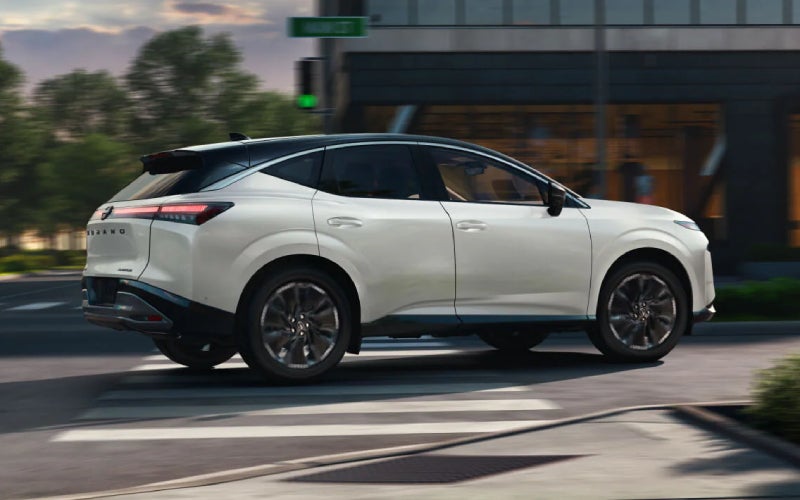
Matt Blatt Nissan - How the 2026 Nissan Murano’s Invisible Hood View Makes Tight Parking Easier around Egg Harbor City, NJ If you’ve ever crept forward in a crowded lot, unsure whether the curb is an inch away or still hiding under your hood line, the 2026 Nissan Murano’s Invisible Hood View feels like a superpower. It’s part of the HD Enhanced Intelligent Around View® Monitor, and it gives you a virtual composite view of the area that would normally be blocked by your hood and engine compartment. Around Egg Harbor City, NJ—where angled street parking, compact downtown spaces, and narrow residential driveways are common—this camera tech turns low-speed maneuvering into a calmer, more precise task. Unlike a simple front camera, Invisible Hood View uses multiple camera feeds and processing to generate a perspective that appears to remove the hood from sight. The result is a more intuitive visual reference when creeping over parking stops, aligning with garage walls, or slipping into a parallel spot. On the Murano’s dual 12.3-inch displays, the image quality is crisp, and the overlays help you build a mental model of your exact surroundings. Pair it with parking sensors and the system’s audible cues, and you’ll be threading the needle with confidence—while keeping your wheels, tires, and bumper scuffs to a minimum. How Invisible Hood View Helps in Everyday Driving The best tech proves its worth in routine moments. Try backing into a supermarket space, then inching forward to center perfectly between the lines—Invisible Hood View makes those last few inches easy to judge. In tight condo garages, it helps you stop precisely before a wall or storage rack without guesswork. On side streets, the Murano can help prevent unintentional contact with hidden curbs or low planters. And for anyone who has ever worried about a steep driveway lip, the composite view helps you set up the right approach angle to protect your front fascia. Just as important, the Murano layers this with other confidence-boosters. The HD Enhanced Intelligent Around View® Monitor provides a 360-degree view for a complete sense of your surroundings. If you’re transitioning from a taller SUV or a sedan, the combination of these camera perspectives reduces the learning curve. The system is especially useful for multi-driver households, where each person may judge distances differently—Invisible Hood View creates a shared, objective reference for everyone. Tips for Getting the Most Out of Invisible Hood View Engage the view early: Switch to the camera feed as you approach a tight space so you have time to adjust your angle smoothly. Combine with parking sensors: Use the visual feed plus audio alerts for a redundant, more confident approach. Mind your wheel alignment: Keep your steering centered as you creep forward so the projected path on screen matches your intent. Use slow, steady inputs: Light throttle and brake modulation give the cameras more time to update and keep the image stable. Practice in a low-pressure space: Spend five minutes in an open lot to learn where the bumper and corners appear on screen relative to real-world edges. Once you link what you see on the display with how the Murano’s nose tracks in real life, your confidence grows fast. Over time, many owners find they rely less on guesswork and more on a consistent, repeatable routine—great for protecting your vehicle’s wheels and front fascia. How It Works With Other Murano Tech Invisible Hood View integrates naturally with the Murano’s broader tech suite. The dual 12.3-inch displays offer space to see camera feeds alongside mapping through available Google built-in. If you’re using voice to cue Google Maps, you can keep the camera up for a moment to align perfectly in your spot, then quickly return to your route guidance without menu-diving. Wireless Apple CarPlay® and Android Auto™ keep your phone in play without cluttering your hands, and the available Bose Premium Audio System brings clarity to the sensor tones so you notice them in time without harshness. On the move, standard ProPILOT Assist helps reduce fatigue on Garden State Parkway runs, and available ProPILOT Assist 2.1 adds advanced hands-off, foot-off driving in certain situations for smooth freeway cruising. These systems complement your low-speed visibility tools because they free up cognitive bandwidth; the moments you save at low speeds are multiplied by the energy you conserve at higher speeds. Local Use Cases Around Egg Harbor City Think about tight main-street spaces after dinner, or the angled parking near local shops where concrete stops and short curbs vary spot-to-spot. With Invisible Hood View, your front end isn’t guessing—you’re placing it. The same is true on residential roads where tree roots might push up pavement near the curb. And if you have a shorter driveway that butts up to a sidewalk, you can get close without bumping, leaving walkway space exactly where you want it. The Murano’s available Intelligent All-Wheel Drive and 8.3 inches of ground clearance are welcome on rainy days, but even when the weather is clear, the ability to see what’s ahead at low speeds is a daily benefit. Drivers who split time between work in larger office parks and errands in smaller town centers will appreciate how consistently the camera system smooths out parking transitions. Frequently Asked Questions: Is Invisible Hood View always on? No. You activate camera views as needed. Many drivers switch it on when approaching curbs, blocks, or tight garage spaces, then return to the standard display while cruising. Does it replace my need to look around? It’s an assist, not a substitute. Always check surroundings and use mirrors. The system enhances what you can see and helps you judge distance more precisely. Is the feature standard on all trims? Invisible Hood View is part of the available HD Enhanced Intelligent Around View® Monitor. Availability varies by trim and package. Can I use it while navigating with Google built-in? Yes. The Murano’s dual 12.3-inch displays make it easy to manage navigation and camera feeds with minimal tapping, and voice controls help keep your hands on the wheel. Does it help protect wheels and tires? Indirectly, yes. By helping you visualize curbs and stops, many drivers find they reduce scuffs and sidewall scrapes during tight maneuvers. For a calm, upscale drive that’s easier to park and maneuver day after day, the 2026 Nissan Murano’s Invisible Hood View is one of those smart features that truly feels tailored to real life. If you’d like a closer look, Matt Blatt Nissan can set up a hands-on demo and show you how it pairs with the HD Enhanced Intelligent Around View® Monitor, the dual 12.3-inch displays, and the rest of the Murano’s driver-friendly tech. We’re proudly serving Williamstown, Little Egg Harbor, and Egg Harbor City, and we’ll be happy to map out trim and package availability that fits your routine. Request more 2026 Nissan Murano information

See More, Stress Less - How the 2026 Nissan Rogue’s 3D Around View Monitor with Invisible Hood View Helps With Tight Streets around Williamstown, NJ

See More, Stress Less - How the 2026 Nissan Rogue’s 3D Around View Monitor with Invisible Hood View Helps With Tight Streets around Williamstown, NJ

Matt Blatt Nissan - See More, Stress Less - How the 2026 Nissan Rogue’s 3D Around View Monitor with Invisible Hood View Helps With Tight Streets around Williamstown, NJ Narrow neighborhood lanes, angled parking near local shops, and crowded school loops can test anyone’s patience. That is exactly where the 2026 Nissan Rogue’s available 3D Enhanced Intelligent Around View® Monitor—with its remarkable Invisible Hood View—earns a permanent spot on your essentials list. It is more than a camera system; it is confidence on tap. With multiple selectable views you can rotate and zoom, the Rogue shows a composite perspective of what is around you, while Invisible Hood View virtually reveals what is hiding below the front edge—think parking curbs, low posts, and sneaky potholes along small side streets around Williamstown, NJ. Paired with responsive steering and a tight turning diameter, the Rogue helps turn daunting situations into simple maneuvers. When you add in available features like Intelligent All-Wheel Drive and selectable drive modes, the system’s visibility support becomes an everyday staple—from wet curbsides to gravel shoulders and mall parking lots with inconsistent markings. It is a stress reducer and a fender saver. How the System Works in Real Life The 3D Enhanced Intelligent Around View® Monitor stitches together feeds from strategically placed cameras to create a surround image on the available 12.3-inch touch-screen. You can select viewpoints tailored to the moment—front, rear, curbside, or a rotating overhead perspective that clarifies your space in real time. The Invisible Hood View goes a step further by virtually “projecting” what’s under the front of the Rogue, helping you gauge wheel placement near high curbs or spot a parking block before your bumper does. In everyday terms, it helps you place the vehicle precisely where you want it. Think about tight-angle pull-ins along Main Street or crowded lots near youth sports fields. With on-screen guidelines and proximity cues, those tiny adjustments become easy. Combine this with standard Nissan Safety Shield® 360 technologies and available parking sensors, and the Rogue creates a well-layered safety and awareness experience. Local Scenarios Where It Shines Curbside parking by shops: See the curb line and keep your wheels safe from scuffs while maintaining a clean, aligned park. Angled downtown spaces: Use curb and front views together to square up without overhang or second-guessing. School pickup loops: Navigate cones, crosswalks, and pedestrians with added visual context in busy moments. Driveway obstacles: Spot toys, bikes, and low garden borders before you move—front or back. Narrow residential streets: Thread past delivery trucks or parked cars with a clear sense of your Rogue’s footprint. Because the interface is intuitive and quick to access, you do not have to tap through endless menus to get the view you need. And when you are finished, the display returns to your preferred home screen, whether that is Google built-in navigation, wireless Apple CarPlay®, or your selected media. Pair It With Other Smart Tech While the Around View system is the star in close-quarters situations, the 2026 Rogue layers in additional confidence builders. Available ProPILOT Assist supports steering, braking, and acceleration in highway traffic, helping reduce fatigue during longer drives to regional attractions or weekend getaways. The Head-Up Display keeps key info in your line of sight, and the available Bose® Premium Audio System turns family trips into mini-concerts. This suite complements the visibility benefits of the cameras, ensuring you are covered at low speeds and at cruising pace alike. For families who juggle packed calendars, the Rogue’s thoughtful interior also matters. The flexible cargo area with the Divide-N-Hide® system helps contain sports gear, groceries, and backpacks so you can maintain order on the fly. Add in an available Motion Activated Liftgate, and loading the cargo hold when your hands are full becomes effortless. Why It Resonates With Williamstown Drivers Local driving often means squeezing into a spot for a quick pick-up order, circling for parking during community events, or navigating residential streets with parked cars on both sides. The 3D Enhanced Intelligent Around View® Monitor with Invisible Hood View directly addresses those needs. It saves time, prevents awkward re-parks, and protects your wheels and lower fascia from curbs and blocks. Just as importantly, it reduces the mental load of tight-space driving so you end each errand a little less tense. That matters during busy weeks when you are coordinating work, school, and activities across town. With the Rogue’s system, little hassles stay little. And in the rare moment when you do misjudge, the visibility and alerts give you the chance to correct before a scrape becomes a repair appointment. Feature Checklist You Will Actually Use Rotatable 3D views: Get the angle that matches the moment—front, side, rear, and overhead. Invisible Hood View: Virtually “see” beyond the front edge to avoid blocks and curbs. Clear on-screen guidelines: Understand distance and angle while you steer. Fast access controls: Jump to needed views without digging through menus. Seamless return: Pop back to navigation or media when parked. When you step back, the Rogue’s visibility tech echoes a broader philosophy: make complicated moments simple. That theme runs across the cabin, from Google built-in voice control and a crisp digital dashboard to easy child-seat access points and generous storage. It is a full-circle approach to daily driving. Test It the Way You Drive The best way to appreciate the 3D Enhanced Intelligent Around View® Monitor is to use it in your typical situations—parallel parking by your favorite cafe, aligning cleanly in angled spaces, or easing around delivery vans on a narrow block. At Matt Blatt Nissan, we encourage test drives that mirror your real life so the technology proves itself on your terms. If you are comparing visibility and driver-assist features across your shortlist, the Rogue’s camera system is a meaningful differentiator. It works quickly, makes parking more precise, and replaces guesswork with clarity. Add the confidence of Nissan Safety Shield® 360 and available Intelligent All-Wheel Drive, and you have a compact SUV that meets the region’s diverse driving demands. Frequently Asked Questions: Does Invisible Hood View work at speed? It is designed primarily for low-speed maneuvering, such as parking, creeping forward in tight spaces, or navigating obstacles where precise wheel placement matters. Can I toggle between views easily? Yes. The interface provides quick access to front, rear, curbside, and overhead perspectives, and you can rotate the 3D view to suit the moment. How does it help in the rain? While you should always drive cautiously in wet conditions, having additional curb and obstacle visibility can reduce misjudgments near puddles, slick curbs, and reflective surfaces. Is parking still simple without the system? Absolutely—good mirrors and careful technique always matter. The Around View system adds another layer of confidence that many drivers quickly find indispensable. Where can I try it? Schedule a focused test drive that includes parallel and angled parking scenarios. Our team is serving Galloway, Vineland, and Williamstown and can tailor a route that mirrors your typical errands. When a feature directly addresses an everyday headache, it stops feeling like a “tech demo” and starts feeling like a must-have. For many local drivers, the 2026 Nissan Rogue’s 3D Enhanced Intelligent Around View® Monitor with Invisible Hood View becomes exactly that—an everyday essential that makes tight quarters simple and keeps your SUV looking its best. Request more 2026 Nissan Rogue information

Can a 2026 Nissan Rogue tow a small boat or camper around Mays Landing, NJ?

Can a 2026 Nissan Rogue tow a small boat or camper around Mays Landing, NJ?

Matt Blatt Nissan - Can a 2026 Nissan Rogue tow a small boat or camper around Mays Landing, NJ? If your weekends take you from errands on the Black Horse Pike to Lake Lenape Park’s boat ramp — or down to Great Egg Harbor Bay — it is natural to ask whether a 2026 Nissan Rogue can confidently handle a lightweight trailer. As a compact SUV that blends everyday comfort with capability, Rogue was engineered for versatility, and that includes small-trailer duty when it is set up properly. At Matt Blatt Nissan, we help local drivers match real-world needs to the Rogue’s strengths. Below, we break down what the 2026 Rogue can tow, how its technology supports you at the ramp or campground, and the right way to get your setup dialed for drives around Mays Landing, Somers Point, and the Parkway. Why the Rogue’s 1,500-lb tow rating matters locally Every 2026 Rogue is rated to tow up to 1,500 lbs when properly equipped. That ceiling is a great fit for the kind of trailering many South Jersey families do — think a single personal watercraft to the Mullica River, an aluminum jon boat to Lake Lenape, a small utility trailer for a home project in Hamilton Township, or a compact pop-up camper for a weekend at Belleplain State Forest. You are not hauling a large offshore boat, but you are also not stuck renting a truck for everyday toys and projects. Because that 1,500 lbs includes the trailer and everything on it, keeping an eye on real weights matters — and we will help you verify your numbers before you hitch up. What the Rogue can tow around Mays Landing Here are common setups that typically fit within Rogue’s rating. Actual weights vary by brand and load; check your trailer’s placard and owner’s manual before you roll. Aluminum jon boat with small outboard and trailer: about 800-1,200 lbs, depending on hull length and gear Single personal watercraft on a trailer: roughly 900-1,200 lbs Compact pop-up camper: many entry models come in around 1,000-1,400 lbs dry; add water and cargo to get your true weight Small utility trailer with yard waste or lumber: often 500-1,000 lbs, but watch how quickly building materials add up If your numbers flirt with 1,500 lbs, we recommend a quick weight check at a local scale and a conversation with our team. Staying safely under the limit gives you margin for fuel, coolers, and last-minute add-ons before a run out to the Shore. Rogue hardware and tech that make small-trailer towing easier Capability starts with the powertrain. Rogue’s 1.5L VC-Turbo® engine delivers 201 hp and 225 lb-ft of torque, and the Xtronic CVT® has been durability tested on more than 2.6 million miles of public roads. That broad, usable torque helps you pull away smoothly in traffic through Mays Landing and manage low-speed control at a ramp or campsite. Available Intelligent All-Wheel Drive: Sends power to the wheels that need it to help with traction on wet, sandy, or algae-slick launch ramps along the Great Egg Harbor River. Drive Modes: With available Intelligent All-Wheel Drive, Snow and Off-Road Modes can help on loose surfaces near unpaved Pine Barrens sites; Auto and Sport modes suit everyday towing on Route 322 and the Garden State Parkway. Intelligent Around View® Monitor: Available 3D Enhanced Intelligent Around View Monitor with Invisible Hood View helps you align the hitch, back toward a ramp, and spot obstacles — a confidence booster in tight marina lots. Nissan Safety Shield® 360: Standard features like Rear Cross Traffic Alert and Blind Spot Warning support awareness when your rear visibility is reduced by a trailer. Hill Start Assist: Holds brake pressure briefly when you move your foot to the accelerator, helping prevent rollback on inclined driveways or ramp approaches. For added peace of mind, the 2026 Rogue was engineered and tested to endure harsh conditions — from extreme pothole courses to water-pressure blasts — so daily life and weekend towing around Atlantic County feel well within its comfort zone. Set up your Rogue the right way Getting the details right is what turns a capable SUV into a towing partner you trust. Before your first trip from Mays Landing to the bay, run through this checklist: Confirm weights. Add the trailer’s empty weight plus fuel, batteries, gear, and water to ensure the total stays under 1,500 lbs. Use the right hardware. Install a Class I receiver hitch and 4-pin wiring harness designed for your Rogue. Genuine Nissan Accessories are engineered for proper fit and are backed by a 3-year/36,000-mile limited warranty if installed by our team at the time of new-vehicle purchase. Balance your load. Aim for about 10-15% of the trailer’s total weight on the tongue to reduce sway and improve stability. Check tires and pressures. Confirm your Rogue and trailer tire condition and pressure. Rogue’s Easy-Fill Tire Alert can help you set pressures accurately. Perform a full light check. Verify running lights, brake lights, and turn signals with a spotter before you leave your driveway. Plan your route and pace. Leave more following distance, take turns wider, and expect longer braking distances. Keep speeds moderate on the Parkway — towing adds wind resistance. Use mirrors and cameras together. Your mirrors are primary; the Intelligent Around View® Monitor is a helpful aid when maneuvering slowly. Mind ramp etiquette. Prep on the staging lane, attach transom straps, and install the drain plug before backing down. Clear the ramp quickly after launch or retrieval. If you are new to towing, we are happy to walk you through a dry-run hookup at our store on the Black Horse Pike and share tips tailored to your trailer. How our team can help you get towing-ready Our service department can install a Genuine Nissan receiver hitch and 4-pin trailer wiring on your 2026 Rogue, validate proper trailer light function, and show you best practices for hitching, safety chains, and tongue weight. We can also help you choose helpful accessories, from all-season floor liners for sandy feet after a Lake Lenape afternoon to roof rail crossbars if you decide a rooftop kayak makes more sense than a trailer for certain trips. Prefer extra traction for muddy or sandy launch areas? Ask us about trims with available Intelligent All-Wheel Drive. If you like to explore unpaved camp roads, the Rogue Rock Creek® adds rugged all-terrain tires and Hill Descent Control — great for confidence on steep, loose grades when you are not towing. When you are ready, stop by Matt Blatt Nissan in Egg Harbor Township — just minutes from Mays Landing — and we will help you configure a Rogue that fits your gear and your getaways. From installation to a quick towing refresher, our team is here to make your first shore run or forest weekend smooth and worry-free. Frequently Asked Questions: Does all-wheel drive increase the Rogue’s tow rating? No. The 2026 Rogue is rated to tow up to 1,500 lbs when properly equipped, whether it is front-wheel drive or equipped with available Intelligent All-Wheel Drive. AWD can improve traction on wet or sandy surfaces, which is helpful at ramps and on unpaved access roads. Do I need trailer brakes or a brake controller with a Rogue? Most small trailers within Rogue’s 1,500-lb limit use surge or no brakes, and the Rogue is not configured for an electric trailer brake controller. Always follow your trailer manufacturer’s requirements and New Jersey regulations; if your trailer is equipped with surge brakes, ensure they are adjusted and functioning. How much tongue weight can my Rogue handle? Plan for roughly 10-15% of total trailer weight on the tongue while staying within the rating of your hitch and receiver. Proper tongue weight is key to reducing sway; our team can help you measure and adjust your load for stability. Will towing affect my fuel economy? Yes. Additional weight and aerodynamic drag will reduce fuel economy compared with the EPA-estimated 29/36 mpg rating. The VC-Turbo® engine and Xtronic CVT® do a great job delivering smooth, efficient power, but you should expect lower mileage while towing — especially at highway speeds or in headwinds across the bridges to Ocean City or Somers Point. Can I use ProPILOT Assist while towing? ProPILOT Assist is a hands-on driver assist feature that can help with steering, braking, and acceleration support in lane, but you remain responsible for control of the vehicle at all times. When towing, maintain extra following distance and use driver assists as supplemental support — not a substitute for attentive driving. What if my trailer’s listed weight is under 1,500 lbs, but I add gear? Use your loaded, ready-to-tow weight to determine compliance — not just the dry number. Fuel, coolers, batteries, water, and tools add up quickly. When in doubt, weigh your trailer loaded, and we can help you validate your setup against the Rogue’s rating. Have a specific boat, PWC, or pop-up in mind? Bring the details by Matt Blatt Nissan. We will confirm weights, set up the right Genuine Nissan Accessories, and get your 2026 Rogue ready for the launch ramp — so your next Mays Landing outing starts with confidence. Request more 2026 Nissan Rogue information

Your Nearby Automotive Partner for Buying, Financing, and Service — Nissan Dealer near Vineland, NJ

Your Nearby Automotive Partner for Buying, Financing, and Service — Nissan Dealer near Vineland, NJ

Matt Blatt Nissan - Your Nearby Automotive Partner for Buying, Financing, and Service — Nissan Dealer near Vineland, NJ If you are searching for a Nissan dealer near Vineland, NJ, you are looking for more than a place to sign paperwork. You want a partner who makes each step simple, transparent, and tailored to the way you drive around Delsea Drive, Landis Avenue, and Route 55. Our team is focused on delivering that experience from the first hello to every service visit that follows. We know the local roads, the daily routines, and the weekend getaways to the Shore, and we structure our process to help you move with confidence. From efficient commuting sedans and flexible small SUVs to family-ready three-row options and capable trucks, our selection is designed to fit Vineland life without the pressure. You set the pace. Browse online, compare choices, schedule an at-home test drive, or visit in person — we make sure you always feel in control. We proudly support drivers across South Jersey, serving Williamstown, Little Egg Harbor, and Egg Harbor City as well. What to Expect from Your Local Nissan Team We bring together a thoughtful inventory, a streamlined purchase journey, and long-term ownership support in one place. Whether you are upgrading a daily commuter, trading a growing family into a larger SUV, or moving into an electric option for efficient regional travel, you will find helpful guidance at every turn. Our approach is simple — clear information, real options, and professional service that respects your time. When you are ready to compare vehicles, you can explore popular choices like Rogue for flexible seating and city-friendly handling, Sentra® for smart commuting, Pathfinder for three-row family needs, Frontier for projects and hobbies, and Nissan LEAF® for all-electric efficiency. If you prefer a pre-owned route, you will find quality options with available Nissan Certified Pre-Owned benefits and easy access to history reports for added peace of mind. Online car buying with available home delivery At-home test drives scheduled on your time 4-Day Love It or Leave It Return Policy Kelley Blue Book Instant Cash Offer for sell or trade Free CARFAX on every used vehicle Customer-first guidance from a highly rated team Certified technicians and genuine Nissan parts Express Service and convenient service scheduling Our nearby location is an easy drive from Vineland via Route 55 to the Black Horse Pike, so you can be in and out for a test drive or routine service without a complicated commute. If you prefer to stay home, we can start your deal online, value your trade, and finalize details digitally. Financing Made Easy near Vineland Financing should empower your decision, not complicate it. Our process is designed around quick, clear answers and flexible options. Pre-approval can be started in minutes, and our network of established lending partners works to match a plan to your goals. Whether you want to maximize a down payment, keep monthly commitments predictable, or explore lease options, we will map a path that aligns with how you plan to use the vehicle. We understand everyone’s credit story is different. If your credit is strong, we will keep the process fast and straightforward. If you are working to rebuild, we will guide you through practical steps and realistic solutions. Pair your pre-approval with our instant trade valuation, and you will see the whole picture before you decide. That is car financing the way it should be — supportive, simple, and transparent. For service and maintenance costs that pop up unexpectedly, available partner programs offer pay-over-time flexibility, so you can keep your vehicle on schedule without delaying important work. Our goal is to keep you moving, whether you are commuting up Route 55 or heading across town for school and activities. Trade-In and Selling Your Car Local drivers appreciate the convenience of getting a firm trade-in value online and finalizing in person with a quick appraisal. Use a Kelley Blue Book Instant Cash Offer to explore your options, then decide whether to trade or sell directly. We honor straightforward, pressure-free decisions — if selling makes more sense for you today, we are ready to help. If trading in helps you step into your next car with confidence, we will make the handoff seamless and fast. A clear trade value, predictable financing, and a vehicle that fits your daily routine are the ingredients of a great outcome. That is why we keep appraisals transparent and explain every factor that goes into a final number. You bring the keys — we take care of the rest. Service and Ownership Support You Can Count On Keeping your vehicle in peak condition is simple when service is streamlined and close to home. Our Nissan Certified technicians follow factory procedures, use genuine Nissan parts, and document each visit so you can track maintenance with confidence. From oil and filter changes to tires, brakes, and multi-point inspections, we help protect performance and keep your schedule on track. Plan a quick stop before errands at Cumberland Mall, wait comfortably in our lounge with Wi-Fi and refreshments, or request a shuttle for nearby drop-offs. Express Service helps you handle essential items without an appointment, and our tire center is here with trusted brands and competitive guarantees. Ask about MyNISSAN Rewards to earn points toward future service and even potential savings on your next vehicle purchase. An Inventory for Vineland Commutes, Errands, and Getaways Vineland driving is a mix of quick hops across town, steady Route 55 commuting, and weekend trips to the Shore. That is why our inventory spans efficient sedans, versatile crossovers, spacious three-row SUVs, and hardworking trucks. Looking for easy parking and strong fuel economy for downtown Landis Avenue? Consider Sentra® with advanced driver-assist tech like available ProPILOT Assist to support confident highway cruising. Need flexible space and an available Intelligent AWD for changing road conditions? Rogue is a smart fit for family errands and regional travel. If your weekends include home projects or towing a small trailer, the capability of the Frontier pairs everyday drivability with practical strength. For all-electric efficiency and one-pedal driving with e-Pedal, Nissan LEAF® can make regional trips simple and cost-effective. If you are exploring pre-owned options, ask about available Nissan Certified Pre-Owned benefits, including comprehensive inspections and limited warranty coverage. Every choice comes with clear details, so you can compare confidently and choose what suits your goals today and your plans tomorrow. When you choose Matt Blatt Nissan, you get a team that anticipates questions before you ask them — from what fits in your driveway to which safety features best match your routes. We focus on needs first, features and solutions second, and paperwork last. That is how we keep car shopping stress low and satisfaction high. Frequently Asked Questions: How close are you to Vineland, NJ? We are an easy drive from Vineland via Route 55 and the Black Horse Pike, so you can reach us quickly for a test drive, trade appraisal, or scheduled service without an all-day commitment. Can I complete most of the purchase online? Yes. You can browse inventory, get a firm trade-in value, start financing, and schedule delivery or pickup. We are here to assist by chat, phone, or in person at any stage you choose. Do you work with all types of credit? We do. From well-established credit to rebuilding credit, we help match customers with lending options that fit their goals. Pre-approval is quick and gives you a clear path forward. Can I get a firm offer for my trade-in online? Use a Kelley Blue Book Instant Cash Offer to get a real number you can bring with you. Finalize it with a quick in-person appraisal and decide whether to trade or sell. What ownership support do you offer after I buy? Count on Nissan Certified technicians, genuine Nissan parts, Express Service for essentials, transparent recommendations, and convenient amenities like Wi-Fi, refreshments, and a comfortable lounge. Do you offer both new and used vehicles? Yes. Choose from new Nissan models and a wide selection of used and Nissan Certified Pre-Owned vehicles. Every used vehicle includes an easily accessible history report for added confidence. Vineland drivers value straightforward answers, local convenience, and vehicles that simply work for daily life. That is the experience we build — a clear, welcoming path from your first search through many miles of ownership. Whether you need a compact car for easy parking near Landis Avenue, an SUV for evolving family needs, an electric vehicle for efficient regional travel, or a truck to support weekend projects, our team is ready with options that make sense. If you prefer to start from home, we will meet you there with remote shopping tools, real trade values, and scheduling that fits your day. If you want to talk it through in person, you will find a knowledgeable, friendly team that respects your time and budget. No surprises, no detours — just the right car and clear next steps. Ready to move forward with a Nissan dealer near Vineland, NJ that puts you first? Connect with Matt Blatt Nissan to begin your search, explore financing, or schedule a test drive. Contact us today to request more information and take the next step with confidence. Request more information

Contact Us

Fill out this form below and we'll contact you shortly
*Required Fields